Markdown in Confluence

Uses the same editor as Jira and converts Markdown as you type. You add images and tables through menus.

What to watch out for

  • Converted as you type: The formatting appears as soon as you’ve typed the mark and a space. After that, you can’t edit the Markdown text anymore.
  • Pasted text: Markdown from the clipboard is usually converted when you paste it. From some apps, it ends up on the page as a code block.
  • Decisions: <> and a space create a decision.
  • Old wiki markup: You can only paste wiki markup in the legacy editor.

What's different or missing in Confluence

Paragraph

Standard
↵ ↵

A blank line separates two paragraphs. A single line break isn’t enough: Markdown joins the two lines into one paragraph. For a line break inside a paragraph, put two spaces or a backslash (\) at the end of the line.

More on this

In HTML, the line break becomes a <br> and the paragraph a <p>. The original Markdown doesn't know the backslash, and some apps show it as a character. You can't see the two spaces, and some editors delete them when saving.

Markdown (click to edit)

This is the first paragraph.

After a blank line, the second one starts.

Result

This is the first paragraph.

After a blank line, the second one starts.

Different

The ↵ Enter key starts a new paragraph. For a line break in the same paragraph, press ⇧ Shift + ↵ Enter.
Task list

Standard
- [ ]
Confluence
[]

Square brackets after the hyphen make a checkbox. An x inside checks it off.

More on this

Task lists are part of GitHub Flavored Markdown (GFM). Between the empty brackets, there is exactly one space.

Markdown (Confluence) (click to edit)

[] Send quote
[] Schedule meeting

Result

  • Send quote
  • Schedule meeting

Different

Type [] and a space, without a hyphen in front. This creates an action item.

Image

Standard
![]()
Confluence
!

You write an image like a link with an exclamation mark in front. The square brackets hold the description of the image, and the parentheses hold the URL of the image. If the image is on another website, the URL starts with https://.

More on this

The description becomes the alt attribute of the <img>. Screen readers read the description aloud, and it appears when the image doesn't load.

Markdown (click to edit)

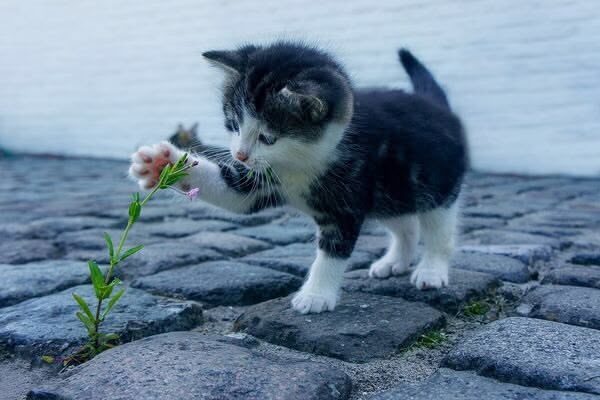
![A small kitten](/beispiele/katze.jpg)

Result

A small kitten

Different

The exclamation mark (!) opens the image picker. The full notation with brackets is only converted when you paste it.

Table

Standard
|

Vertical bars separate the columns. The second row, made of hyphens, turns the first row into the header row. Without this header row, there is no table.

More on this

Tables are part of GitHub Flavored Markdown (GFM). The bars don't have to line up in the source text. Colons in the separator row align a column: :--- left, :---: center, ---: right. To show a vertical bar as a character in a cell, write it with a backslash: \|.

Not available

Add tables with / and “Table” or from the toolbar.

What works as in the standard